
Start with one portrait
Upload a clear JPEG, PNG or WebP of yourself or a consenting adult. A local preview appears as soon as you select the image, so you can check your reference before continuing.
AI concert video maker
Turn your photos into an original intimate AI concert video.
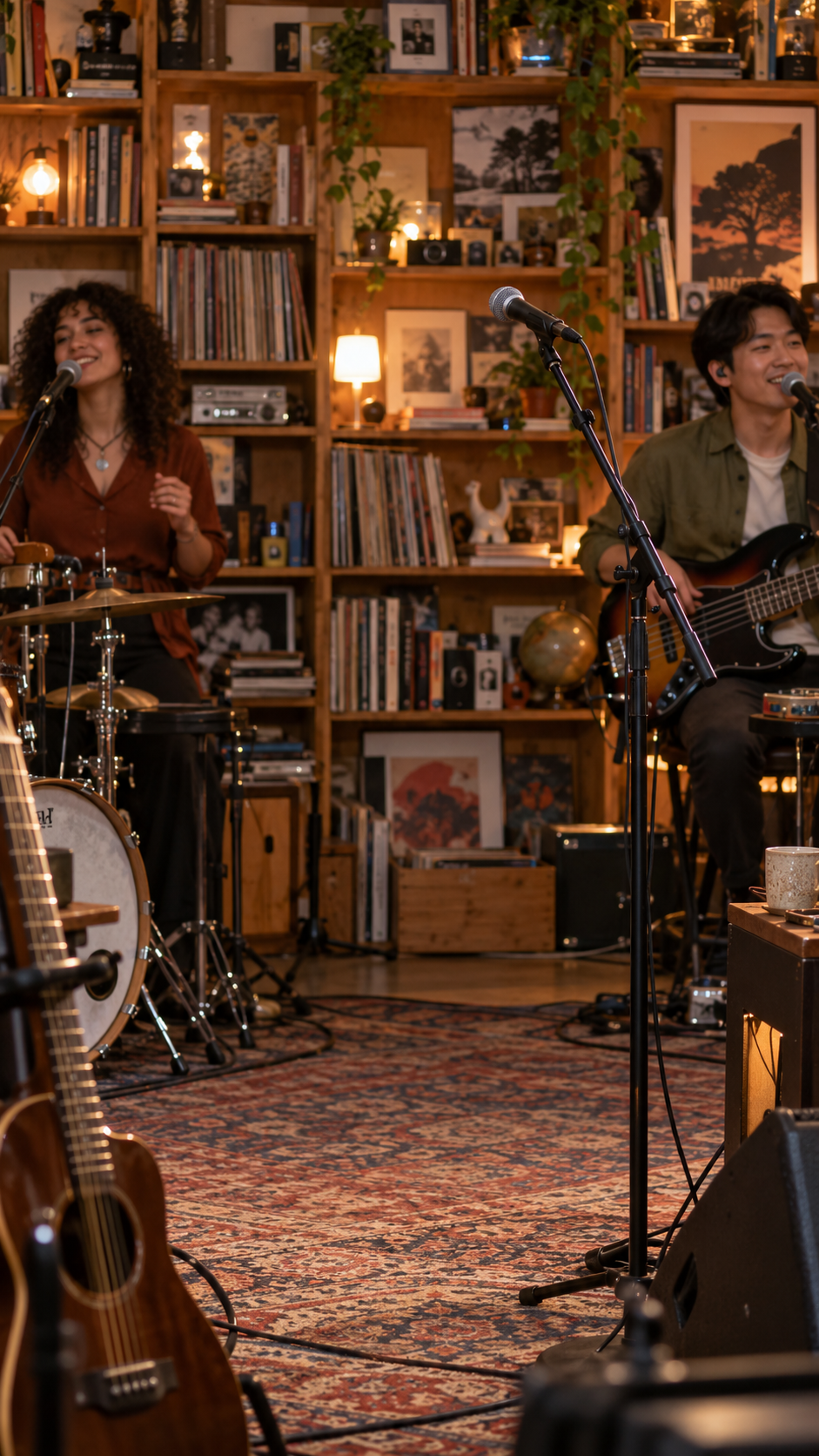
A small stage. Plenty of possibilities.
Explore creator-approved Tiny Desk AI results, from intimate solo performances to richly detailed band scenes. Play a video to see the finished performance and hear its audio.
Tiny Desk AI describes an AI-assisted way to turn a portrait and a small-room concert concept into a short performance video. The visual language is intimate: a microphone close to the singer, instruments within reach, shelves behind the band and warm light instead of a stadium stage.
A Tiny Desk AI video generator brings the ingredients together: your authorized portrait, a separate concert scene, a prompt and a video model. The scene establishes the room and composition; the portrait provides the performer reference. Model settings then guide the duration, framing, resolution and audio.
A scene preview helps you choose a direction. A generated video adds motion and may include sound, depending on the selected model and settings. Review the generator’s current availability before starting, then check the finished clip for facial consistency, movement and audio before you share it.
This is an independent creative tool, with no affiliation to NPR or Tiny Desk Concerts. AI-made clips should be presented as creative interpretations, not recordings of a real concert.
Your portrait. Your creative direction.
Plan the scene and shape the output in one place. These controls support the photo-to-concert workflow; real rendering depends on current model and scene availability.
Upload a clear JPEG, PNG or WebP of yourself or a consenting adult. A local preview appears as soon as you select the image, so you can check your reference before continuing.
Explore Classic Funk, Red Keyboard & Harmony, Vinyl Center Stage and Band Finale. Compare the lighting, instruments and room composition to find a visual direction that suits your performer.
Generate with Seedance 2.0 Fast. Start with a 15-second, 720p video, or adjust length from 4 to 15 seconds and choose 480p or 720p.
Choose portrait, landscape, square or adaptive framing. Start with 9:16 for a vertical edit, or use a wider composition when the room and instruments are part of the story.
Refine the prompt, choose a fixed camera, set a random seed and adjust audio or reference soundtrack settings. These choices guide the model; they do not guarantee exact lip-sync or identical results.
Follow task progress in My concerts and return to completed outputs in your account. When a video is ready, review its picture and sound before downloading the MP4.
Understand the format before making it your own
The Tiny Desk AI trend reimagines the small-room concert as a personal performance. Its appeal comes from a recognizable setting and an unexpected performer: a familiar face at the microphone, musicians close together and the feeling of a live session filmed just a few feet away.
You may also see the phrase “Outstanding Tiny Desk AI.” It refers to a strand of concert-inspired AI remixes associated with Charlie Wilson’s Tiny Desk performance of The Gap Band’s “Outstanding.” The original performance and an AI reinterpretation are different works; this tool does not promise that recording or an official recreation.
See the original concert on Charlie Wilson’s siteBookshelves, a desk, warm lighting and visible instruments establish the concert atmosphere. A clear composition often does more for the idea than an overly complicated background.
Use a portrait you have permission to animate, then describe the mood, gestures and camera direction. Try a soulful lead, a relaxed acoustic moment or a jazz-inspired scene rather than copying someone else’s identity.
Choose an aspect ratio and clip length for your intended post. Check the result, use authorized audio and identify AI-generated content where required by the platform. A recognizable format can inspire an edit; it cannot guarantee views.
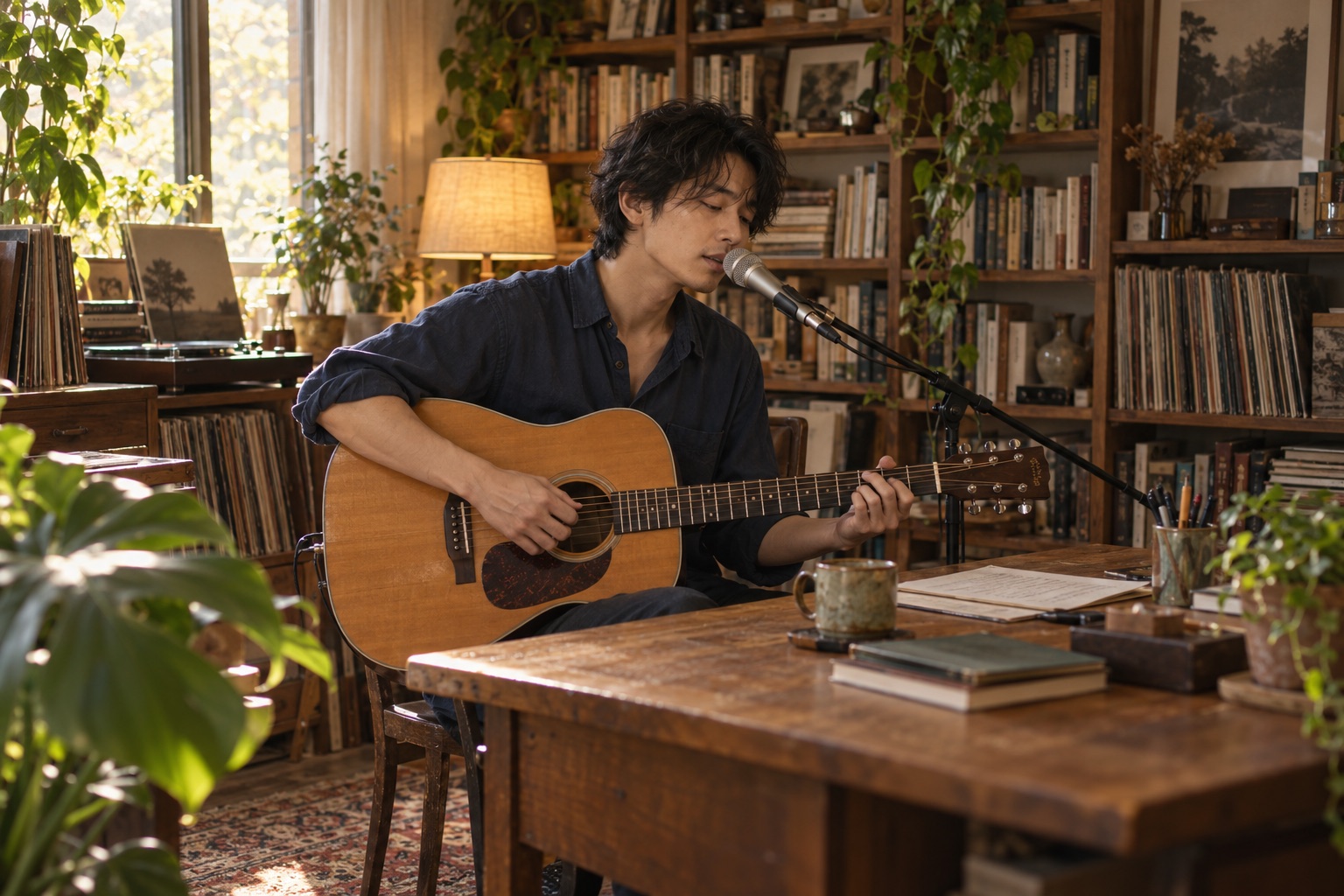
Create a Tiny Desk-style AI concert in three steps: upload authorized photos, choose an approved scene and generate a short performance. Review the result before sharing on TikTok, Instagram Reels or YouTube Shorts. Viral reach is not guaranteed.
Create Your Tiny Desk AI VideoSign in and upload a clear photo of yourself or an adult who has given permission. Use Single Lead Singer for one portrait; the scene reference is provided separately.
Choose an approved no-lead concert scene and an available output setting. Select Generate video to add the authorized performers as separate roles in one continuous concert clip.
Play your finished MP4, check the people and audio, and download it. Share authorized content on TikTok, Instagram Reels or YouTube Shorts, following their AI-content rules.
Choose 1, 3 or 5 Tiny Desk AI videos. Powered by Seedance 2.0 Fast, with 15-second, 720p defaults. One-time payment.
Admit one
1 video · 10 credits
Admit three
3 videos · 30 credits · $6.63 each
Admit five
5 videos · 50 credits · $5.98 each
Straight answers about the photo workflow, current availability, pricing and sharing.
Sign in, upload authorized photos, choose an approved concert template and an available output setting, and select Generate video. Review the finished performance in My concerts, then download the MP4. Identity consistency and audio quality can vary; no tool can guarantee viral reach.
A Tiny Desk AI video generator is a photo-to-video tool for intimate concert-style performances with animated performers. This independent project provides that creation workflow with scene and role controls. Check the generator’s status: a Mock test clip is different from a real model-rendered performance. It is not affiliated with NPR or Tiny Desk Concerts.
Yes. Select Single Lead Singer and upload one clear, authorized portrait. The tool supplies the separate concert scene reference. Multi-person performances require a compatible template and supported role slots.
Each Seedance 2.0 Fast video uses 10 purchased credits. Packs include 1 video for $9.90, 3 for $19.90 or 5 for $29.90. The default output is 15 seconds at 720p.
Yes. Download your MP4 and share authorized output on TikTok, Instagram Reels or YouTube Shorts. Review the video and audio first, follow the platform’s content and AI-labeling rules, and do not claim it is an official NPR performance.
Choose a tool that supports your authorized photos, clear scene and performer roles, private storage, actual downloadable MP4 output, transparent pricing and the audio you need. Compare real output examples and current model availability. This site does not claim a tested number-one ranking; its Mock workflow is not evidence of real rendering quality.
Use an intimate bookshelf-stage scene, your authorized portrait and a compatible photo-to-video workflow, then review the continuous performance and audio before sharing. “Outstanding Tiny Desk AI” is a search phrase for this style of trend, not a guarantee of a particular song, performer or result. Start with the guide and check this tool’s current generation status.
Bring your portrait and a concert idea. Explore the scenes, adjust your performance settings and create with Seedance 2.0 Fast.